Bloxcraft - Roblox alternative
A downloadable game
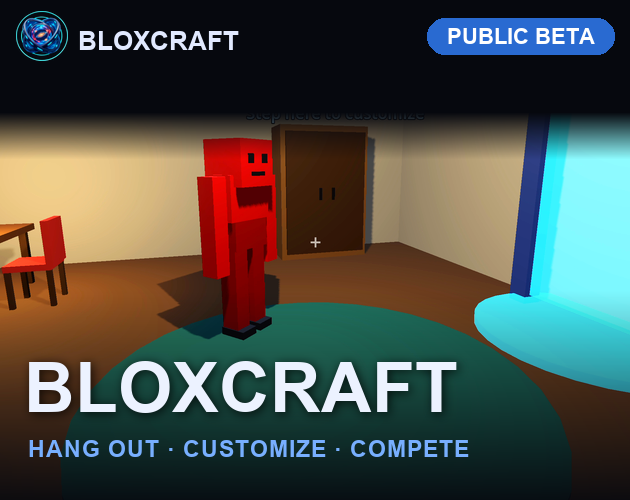
Bloxcraft is a colorful multiplayer playground where you can hang out, customize your avatar, and challenge friends in fast-paced mini-games.
Features:
- True Crossplay — Play on desktop, mobile, or web. Everyone connects to the same server.
- Avatar Customization — Design your character with custom colors and show off your style.
- Mini-Games — Jump into Laser Tag, Dodgeball, Paintball, and more. Team up or go solo.
- Social Lobby — Hang out in the locker room, chat with players, and queue up for games together.
- Server-Authoritative — Fair, cheat-proof gameplay. Your shots count.
Whether you're here to chill with friends or dominate the leaderboards, Bloxcraft is your next favorite game.
Now in Public Beta.
Download
Install instructions
# BLOXCRAFT | MULTIPLAYER SANDBOX
Welcome to Bloxcraft, a fully custom multiplayer sandbox world! Connect instantly with a global community on our 24/7 dedicated server architecture. Build, explore, and run custom developer commands across fully optimized desktop and mobile platforms.
## SERVER STATUS: LIVE
- Host Domain: bloxcraft.online
- Server Protocol: High-performance WebSocket TCP [📚 1.1.20]
- Crossplay Sync: Version 1.0 (Fully Compatible)
---
# CHOOSE YOUR PLATFORM
## Windows Installation
1. Download Bloxcraft_Windows.zip below.
2. Right-click the folder and click Extract All.
3. Launch Bloxcraft.exe to enter the server lobby.
## macOS Installation
1. Download Bloxcraft_Mac.zip below.
2. Double-click the package file to automatically unzip it.
3. Security Bypass: If blocked by Apple's Gatekeeper, open System Settings, go to Privacy and Security, scroll down, and tap Open Anyway to authorize your local client.
## Android Mobile (Beta Launch)
Take your structures on the go! Experience seamless mobile crossplay over port 8910.
1. Download Blox_Release.apk directly onto your phone device.
2. Open your device Downloads or Files manager folder.
3. Tap the apk file and authorize "Allow installation from this source" if prompted.
4. Launch Bloxcraft straight from your mobile app grid!
---
# CORE FEATURES
- Persistent Grid Saving: Your blocks remain safely stored on our Contabo VPS database even when logging out.
- Global Chat Sync: Fully unified communication systems bridging PC, Mac, and mobile players together.
- Admin Tools: Dedicated channel commands built straight into the core engine runtime console.
---
# NEXT MAJOR UPDATE
We are actively refining the mobile experience! The upcoming patch will feature fully customized mobile touch UI anchors, adaptive button scaling layout updates, and targeted networking optimization flags.
Development log
- Android1 day ago